
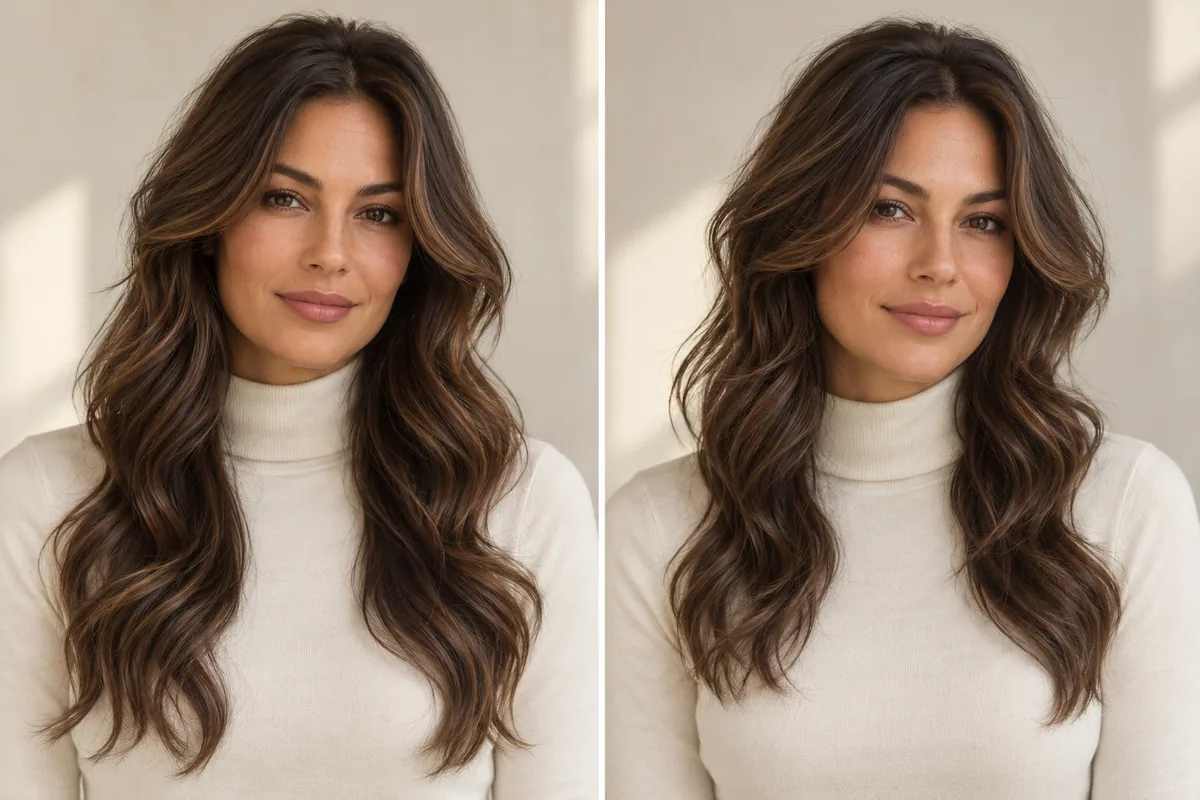
A butterfly haircut for wavy hair is a layered direction to discuss around your natural bends and the dry position of the shorter pieces. The important question is not whether waves are allowed. It is which front shape, lower outline and everyday finish you want the cut to support.
The inspiration photo may show beautifully curved, carefully styled hair. Your own waves may look different after an ordinary wash. Both images are useful, as long as you know which one explains the appearance you like and which one shows the hair the stylist will actually work with.
First, identify the finish in the photograph
Look for the detail that made you save the reference. Was it a sweeping front layer, the long lower edge or the evenly curved ends? If it was the last of those, you may be responding mainly to a styled finish.
L'Oréal Paris's butterfly haircut overview describes the combination of shorter face-framing layers and longer lengths. The planning exercise here is to choose that relationship for your own wavy references, without assuming a particular blowout is part of the haircut.
Write two captions for your favorite image: “The cut detail I like is…” and “The finish I like is…”. If you cannot complete the first sentence without saying bouncy or glossy, find a less arranged photograph of a similar shape.
Build a three-photo wave reference
You do not need a large mood board. Bring these three views:
- Your starting hair on a normal day. Show the texture and length you usually wear, without arranging it to imitate the reference.
- A target shape with a similar bend. Use this to point out the front length and the lower outline you want.
- An occasion finish, if you enjoy one. Keep it separate so extra styling is a choice rather than an unspoken daily requirement.
If your waves vary between wash days, two photographs of your own hair may belong in the first category. A less cooperative day is not a bad reference. It can explain an important part of your routine that a polished image leaves out.
Avoid choosing a texture label solely because it appears beside a photo. What matters for the conversation is the bend you can see and how your own hair behaves. Your stylist can assess the details that the photographs cannot establish.
Mark the front endpoint when the hair is dry
Instead of asking for an unspecified amount of face framing, identify the visible point you like: beside the cheek, around the jaw or lower down. Show that point in a reference where the waves are worn in a way you recognize.
Ask the stylist how they would translate the endpoint to your hair. A strand held straight out is not the same view as the piece sitting in your ordinary wave. You do not need to supply a calculation or decide how much should be cut.
For the longer hair, describe the outline you want to preserve. Perhaps you like a clear lower edge, or perhaps a more separated end shape is part of the appeal. Say which takes priority if the reference needs adapting.
The medium-length butterfly article focuses on the space available between front layers and a shorter lower outline. The fine-hair butterfly guide addresses a different concern: what remains visible at the ends.
Compare movement in the front and shape at the bottom
Study the photograph in two halves. Cover the long ends first. Do you like the shorter shape around the face on its own? Then cover the upper hair. Do you still like the outline near the shoulders or farther down?
You might discover that you want the face framing but would rather keep a quieter lower edge. Or you may like the long shape and prefer less change near the cheeks. That is a useful result, even if it means moving away from the exact reference.
On a small screen, swipe the table to compare every column.
| What you notice | What to save | What to clarify |
|---|---|---|
| A strong front sweep | A close view showing its dry endpoint | Is the sweep mainly the cut, styling or both? |
| Separated upper waves | A view showing their relationship to the longer hair | How short would those sections be on my hair? |
| A substantial-looking lower outline | A full-length front or back view | What would need to stay longer to retain that appearance? |
| A softer overall outline | A reference without a strongly arranged finish | Would I enjoy this shape with my normal routine? |
Keep your answers descriptive. You are choosing the appearance you want to discuss, not using a photograph to prescribe a layering technique.
Decide whether the front includes bangs
A butterfly reference can have long side framing, a shorter parted fringe or a separate forehead fringe. Make that decision explicitly. Otherwise, “I want these layers” can leave the shortest front pieces unresolved.
If you want to keep the forehead open, say where you would like the shortest side piece to appear. If you want a fringe, find a reference showing it with a bend close to your usual finish. The butterfly haircut with bangs guide separates those options.
For a more visibly shaggy shape, compare butterfly and wolf cuts. A bigger change to the upper outline is a different decision from adding a gentle frame around the face.
Be specific about an air-dried routine
“I air-dry my hair” tells a stylist something useful, but it leaves room for questions. Do you arrange the front while it dries? Do you clip sections, use a diffuser sometimes or restyle on later days? Describe the actual routine rather than choosing a label for it.
Bring your practical priorities into the same conversation. If the front needs to tuck behind your ears for work, demonstrate that. If you often secure the whole haircut, show your usual tie position. A drawing of long front pieces cannot establish how far they will reach in person.
There is no need to promise yourself a completely styling-free result. You need enough information to decide whether the proposed routine is one you would enjoy doing.
Explore the outline in Hair Magic
Choose a clear photo and browse the available layered styles in Hair Magic. Use the closest supported wavy direction and keep the color consistent. Available texture, length and layer controls vary by hairstyle; the catalog may use a different name from the reference.
Tap Generate when you are ready to upload the photo for cloud processing. Internet is required. Compare the preview with your original, following the photo try-on workflow if needed.
Look at the front endpoint, exposed neck and overall outline. A generated image may arrange waves differently or add fullness. It cannot simulate your air-drying, humidity response, individual growth pattern or the exact way shorter hair would settle. Mark the useful part of the image rather than treating every change as evidence.
Hair Magic is free to download with in-app purchases; current preview access is shown in the app. If the result helps express your preference, save it and bring your real wave references alongside it.
Leave the consultation with a shared description
Try finishing these sentences together: “The first visible front layer should sit around…”; “The lower outline I want to keep is…”; and “The finish I expect on an ordinary day is…”.
Use a Salon Card to keep the selected style, color and practical notes organized. If the stylist recommends changing the reference, ask which of your priorities the adjustment serves. You should be able to explain the planned shape before the trend name does any of the work.
About this guidance. Published by Hair Magic, the app discussed here. Product details are based on the Hair Magic App Store listing, checked on 1 November 2026. This is planning guidance, not a professional assessment of your hair. AI previews are visual estimates; features and prices may change.
Read our editorial approach or explore all journal articles.