
A curly hairstyle try-on can help you explore the shape of a curly haircut on your own photo: its apparent length, width, layers, and framing around your face. It is most useful for comparing visual directions. An AI preview cannot determine your exact curl pattern, predict shrinkage, or establish how your hair will settle after washing.
Hair Magic includes curls in its hairstyle catalog and offers texture filtering and supported detail controls. You can use those choices to build a more focused reference, then bring the image and your questions to a stylist familiar with your texture.
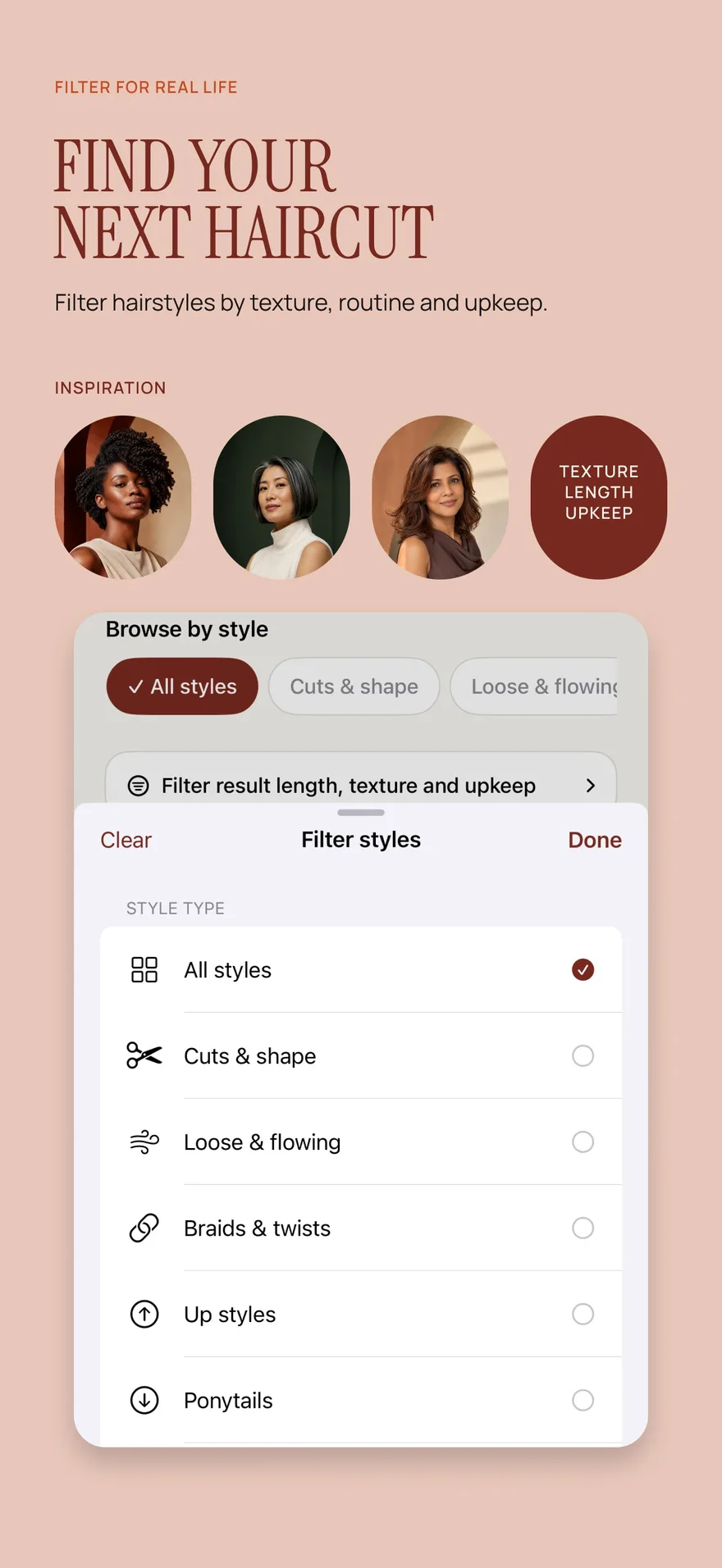
Source: App Store screenshot, captured 8 September 2026. Portraits are style inspiration.
Separate a haircut question from a texture question
First decide whether you want to change your haircut while retaining your usual texture, or simply explore the appearance of a different finish. Those are different decisions.
If you already have curly hair, a useful question might be “Would I enjoy more width near the cheeks?” or “How do I feel about a shorter curly outline?” If your hair is not naturally curly, a preview can show an imagined appearance, but it does not establish how to achieve or maintain that texture.
Write down the finish you normally wear and the finish you are imagining. That distinction prevents an attractive image from becoming an unspoken expectation that your actual hair will behave differently without additional styling or professional input.
Use a baseline that respects your everyday texture
Choose a recent photo with your hair visible and worn in a way you recognize. A picture taken after an unusual styling session may be less useful if your main question concerns everyday wear. Even lighting and enough space around the sides of your head help you compare the silhouette.
Do not treat your original as a “before” problem that the preview must fix. It is information about your starting point. Notice the volume, parting, and front pieces you already enjoy so you can decide what to keep as well as what to change.
If a preview changes your apparent density or creates a very uniform curl arrangement, recognize that as a limitation. Real hair includes variation that a generated image may simplify.
Explore a curly direction in Hair Magic
- Take or choose a clear photo that shows your face and the overall shape of your current hair.
- Browse or search the hairstyle catalog and use available texture, length, and style-type filters to find a relevant curly direction.
- Keep your current color if your main decision is the haircut or shape.
- Adjust the supported details for the selected style. Depending on the choice, these may include target length, layers, volume, parting, bangs, and texture finish.
- Review the look, then tap Generate. Your photo is uploaded for cloud processing and an internet connection is required.
- Compare the preview with the original. Optionally save or share the selected result, and create a Salon Card that records the shape you want to discuss and the texture questions you need answered.
Hair Magic is free to download with in-app purchases. Premium provides unlimited AI previews during an active subscription; the listing does not establish a free generation allowance.
Compare the silhouette in zones
Look at the top first. Do you enjoy the amount of visible height, or would you prefer the fullness to sit elsewhere? Then examine the sides. Where does the shape widen, and how does it meet the front pieces?
Next look at the apparent length. Describe the landing point in the image rather than treating it as a reliable cutting measurement. Ask a stylist how your actual curls and chosen finish would affect where the hair appears to end.
Finally examine the perimeter and front. Do you like a more rounded outline, a looser edge, or a clearer separation around the face? These observations communicate your taste without prescribing a particular cutting technique.
The short curly haircut planning article expands this comparison for bigger changes in length. It focuses on the silhouette and consultation questions instead of assuming an AI image can predict shrinkage.
Compare wearing conditions, not just pictures
Think about how your hair changes across the days you normally wear it. You may style it differently after washing, refresh particular areas, or sometimes secure it away from your face. Decide which version of your routine the haircut needs to support.
A preview is a single still image. It cannot tell you whether a shape will retain the same outline in movement, different weather, or every stage of your routine. It also cannot assess condition or recommend a chemical change.
If you are unsure which overall length direction to explore, use short hair try-on for length comparisons or what hairstyle suits me for a preference-led decision process.
Prepare a texture-aware consultation brief
Bring your selected preview and answer these questions in your own words:
- What do I like about the apparent shape, length, or framing?
- Which parts of my current curl behavior do I want the cut to accommodate?
- How do I normally dry, style, refresh, or secure my hair?
- Which parts of the preview seem different from my actual density or texture?
- What would I like the stylist to explain about wearing this direction day to day?
Photos of your own hair in different everyday states can also help the conversation, even though they are separate references rather than an automatic analysis feature in Hair Magic.
Use the Salon Card guide to assemble the chosen style, color, and practical notes. The strongest outcome is a shared understanding of the shape you want and a realistic discussion of how it can be adapted to your own hair.
About this guidance. Published by Hair Magic, the app discussed here. Product details are based on the Hair Magic App Store listing, checked on 18 October 2026. This is planning guidance, not a professional assessment of your hair. AI previews are visual estimates; features and prices may change.
Read our editorial approach or explore all hairstyle guides.