
Hair Magic is a useful choice when the job is planning a hairstyle or color and taking practical notes to a stylist. Facetune is worth considering when hair is one part of a broader photo-editing task. Both describe hair try-on features. Choosing between them starts with deciding whether your finished result is a haircut brief or an edited portrait.
This article is published by Hair Magic. We checked official product pages on 18 October 2026. The comparison is based on documented workflows, not a controlled test of rendering quality, processing speed or privacy performance.
Start with the result you want to keep
Imagine that you have one photo and two different goals. In the first, you want a new profile picture with a changed background and a different hair appearance. In the second, you want to decide what to ask for at next week's haircut. A polished portrait may satisfy the first goal while leaving the second unresolved.
For the haircut, you still need to know which length you like, how much forehead coverage you want and what you expect to do each morning. A picture helps express those preferences, but it cannot determine the real cutting plan.
Use that distinction as your first filter. It prevents you from paying for an extensive toolkit when your actual need is a focused session, or choosing a narrow hair workflow when you really want a full editor.
On a small screen, swipe the table to compare every column.
| Your task | A sensible starting point | Why |
|---|---|---|
| Edit a portrait's hair, background and finish | Facetune | Its official toolkit includes general photo editing alongside hair tools |
| Explore a hair direction and organize appointment notes | Hair Magic | Its documented workflow includes style/color choices and a Salon Card |
| Explore hair color without a new cut | Check the color-specific workflow | Keep other changes out of the comparison |
| Need a particular export or purchase arrangement | Review the current offer in either app | A general feature page does not establish every access condition |
Where Facetune's broader editor matters
Facetune's official photo tools page lists hairstyle and color try-on alongside retouching, background editing, cropping and effects. Those extra tools can be useful when the image itself is your project.
You might already have a portrait you like but want to adjust several visual details before sharing it. Keeping that work in one editor may be convenient. A separate hairstyle-planning app is not automatically a better solution just because the subject includes hair.
For a salon decision, though, keep an unedited version available. If you like a result with different lighting, skin treatment and hair color, it is hard to know which change won you over. That is a comparison problem rather than a criticism of editing tools.
The photo setup article helps you make a useful baseline. You can enjoy an edited portrait while still using a plain reference for the haircut conversation.
Where Hair Magic's planning steps matter
Hair Magic's App Store listing describes browsing hair choices, adjusting the details available for a selected style, comparing with the original and organizing a Salon Card. Its purpose is to help turn an interesting direction into something you can discuss.
For example, “I like this fringe, but I need it longer beside my glasses” is a useful result. So is “I like the darker color, but I want to keep my current cut.” These notes tell a stylist which part of the image matters and which part remains open for discussion.
The Salon Card guide explains what to include. If you are still choosing the length itself, our bob versus lob comparison is a more useful next read than another photo-editing feature list.
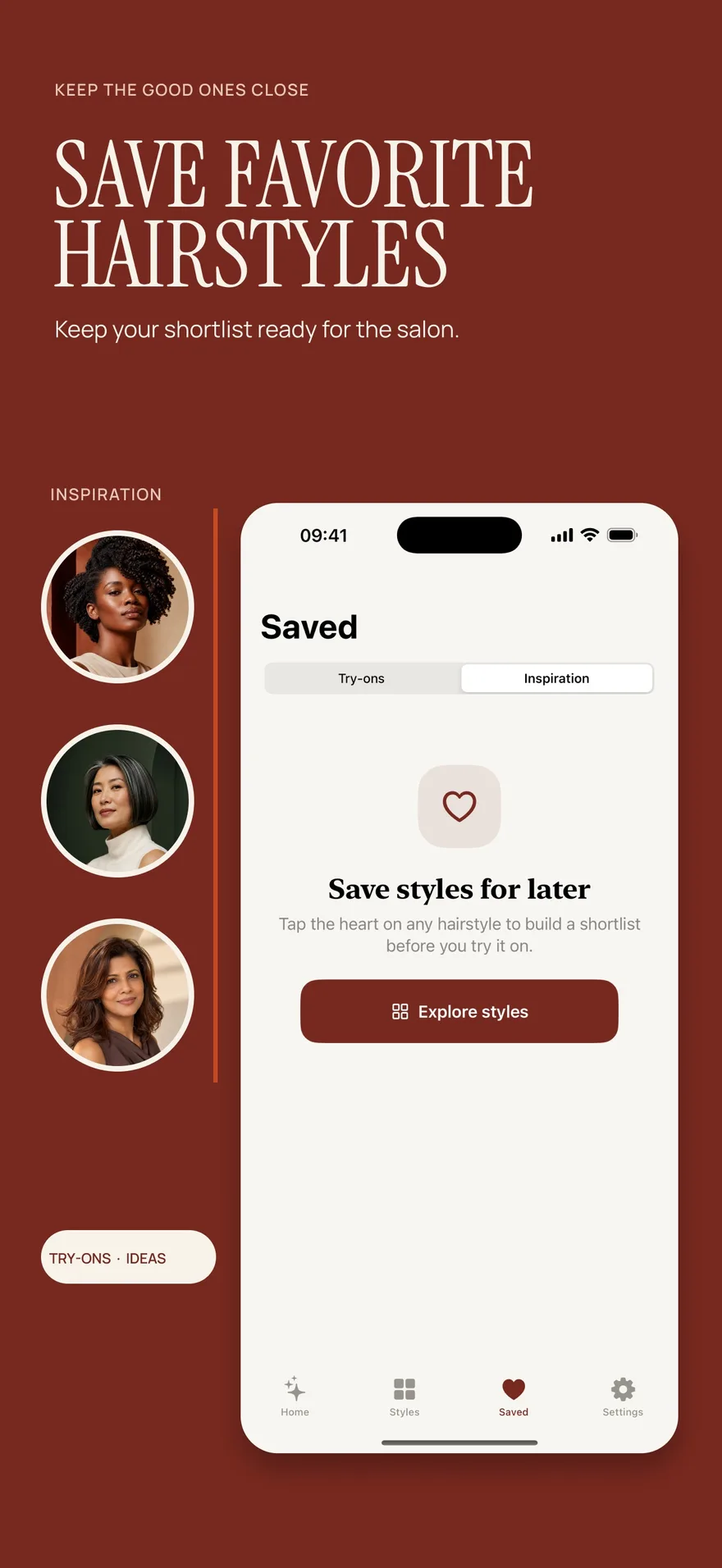
Source: App Store screenshot, captured 8 September 2026. Portraits are style inspiration.
A fair way to compare a brunette preview
Keep your current hairstyle and choose a single color direction. Use the same original photo wherever you explore it, and avoid changing the background or facial features during that comparison. Look at the overall darkness before deciding on warmth or coolness.
Record a simple response: closer to my preference, farther away, or difficult to judge. If the result also adds much more shine, note that separately. You may like the brightness rather than the proposed color.
For color-specific questions, read the hair color changer guide. The ash versus neutral brown article shows why keeping the apparent depth similar makes a tone comparison clearer.
Neither an appealing preview nor the name of an editing tool tells you which dye or salon process would produce that appearance. Bring the reference as a visual preference. Leave the assessment of your starting hair and treatment history to the colorist.
Check the actual purchase before choosing
An app's free download, a trial and access to a particular AI feature are separate things. Hair Magic is free to download with in-app purchases. Its listing confirms unlimited Premium previews during an active subscription, but does not state a free generation allowance.
Facetune's current purchase options should be checked in the store or app for your account and region. A web offer and an iPhone offer may not be interchangeable. Do not calculate value from a headline price without reading the billing period and the features included.
The Hair Magic access guide explains its stated model. If you only need an occasional color experiment and want to begin without an app purchase, compare the public hair-color tools as well.
Try a focused Hair Magic session
Select a clear photo, then choose an available hairstyle or keep your current style for a color-only question. Adjust the details offered for the selection. Review generation access before tapping Generate; the photo is uploaded for cloud processing and internet is required.
Compare the result with your original, then decide what is useful enough to save. Make one note about the appearance you like and one about a real requirement, such as front length or daily styling time. You can organize the chosen direction and practical notes in a Salon Card.
The photo try-on workflow covers these steps. The aim of the session is a clearer preference, not proof that your hair will behave exactly like the preview.
Common questions
Is Hair Magic a replacement for every Facetune feature?
No. Its verified listing focuses on hairstyle and color planning. If your task depends on general portrait or background editing, evaluate an editor that documents those tools.
Can Facetune also change hairstyles?
Yes. Its official toolkit includes hairstyle and hair-color try-on. This comparison does not assume that a broad photo editor is incapable of hair changes.
Which app is more accurate?
We have not established a winner through testing. Judge whether a preview helps you explain your preference, and read the accuracy guide before treating realistic-looking detail as a salon prediction.
Other product and brand names identify the services discussed. Their inclusion does not imply endorsement of Hair Magic by those providers. This comparison is published by Hair Magic.
About this guidance. Published by Hair Magic, the app discussed here. Product details are based on the Hair Magic App Store listing, checked on 18 October 2026. This is planning guidance, not a professional assessment of your hair. AI previews are visual estimates; features and prices may change.
Read our editorial approach or explore all journal articles.