
A balayage try-on lets you explore the visual idea of dimensional color on your own photo before discussing it with a colorist. Look at the relationship between deeper and lighter areas, the brightness near your face, and how the color appears to transition through the lengths. The preview shows an imagined appearance, not a guaranteed placement map or a chemical treatment plan.
Hair Magic includes balayage among its 21 color options, alongside choices such as highlights, ombré, root shadow, and lowlights. Keep your current hairstyle for a color-only preview when the main question is how dimensional color might look on you.
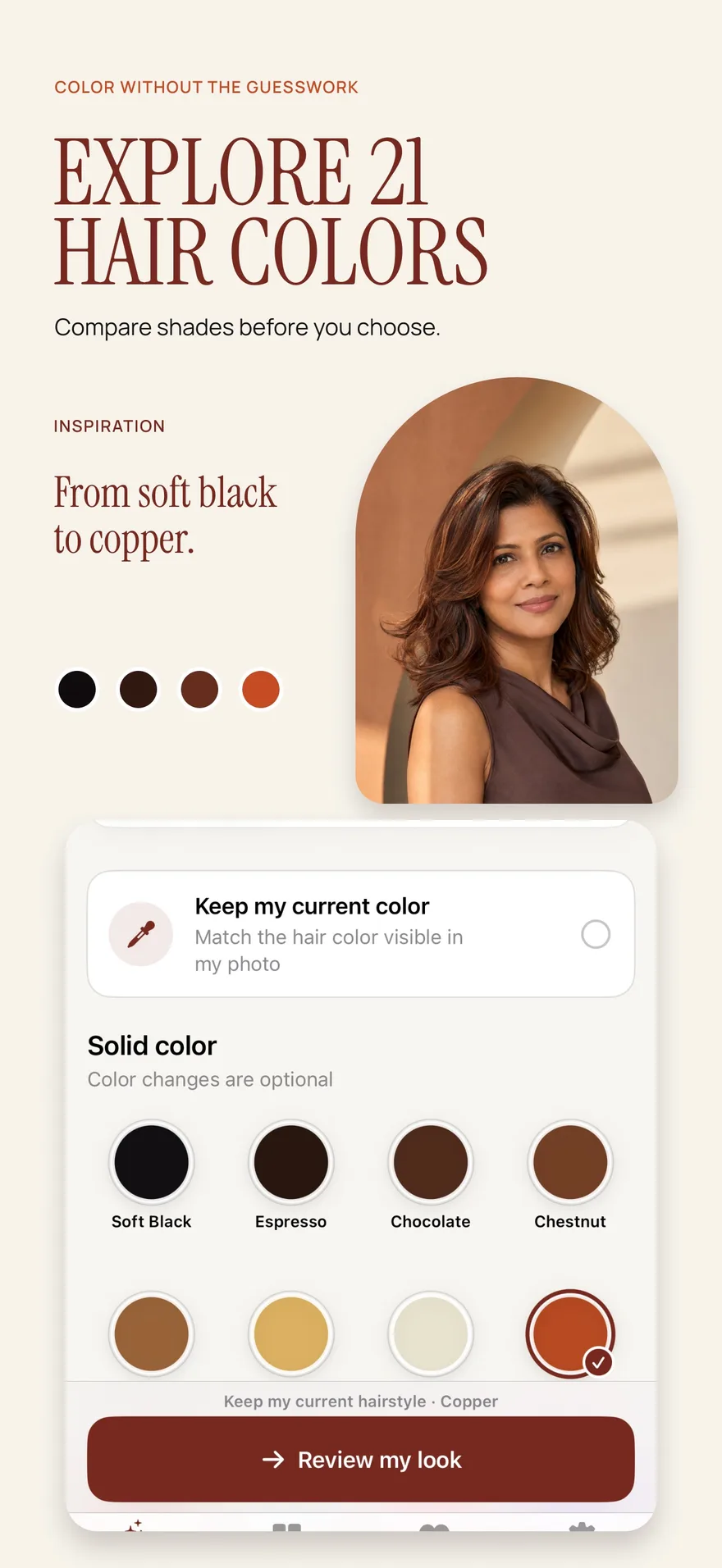
Source: App Store screenshot, captured 8 September 2026. Portraits are style inspiration.
Decide which part of the effect interests you
“Balayage” can appear on reference images that look very different from one another. One image may show a subtle change in depth; another may show strong contrast and much brighter lengths. Rather than relying only on the label, identify the visible effect you want to explore.
Ask yourself whether you are drawn to overall brightness, variation within your existing color, a lighter impression near the face, or contrast between the roots and ends. Pick one priority for the first comparison.
If you are still sorting out color terminology, balayage versus highlights versus ombré explains the distinctions in visual placement and transitions. Use those descriptions to improve the conversation, while leaving the actual technique to a colorist.
Keep the haircut constant
Dimensional color is easier to judge when the length, parting, and texture are familiar. If you change from a short straight style to long waves at the same time, the new movement and length can make the color seem more prominent. You may be responding to the entire makeover rather than the color placement.
Choose a photo in which your hair is visible around your face and through the lengths you want to evaluate. Even lighting helps you see the difference between intended color variation and shadows already present in the photo.
A generated result may change the finish or apparent texture despite your intention to focus on color. If that happens, keep the comparison cautious. A preview that depends heavily on an unfamiliar hairstyle is a less direct answer to your original color question.
Create a balayage preview in Hair Magic
- Take or select a clear photo with your current hair and relevant lengths visible.
- Retain your current hairstyle to make this a color-only comparison.
- Explore the color choices and select the balayage direction available in the app.
- Review the selected look before tapping Generate. Your photo is uploaded for cloud processing, which requires an internet connection.
- Compare the completed result with your original. Examine overall depth first, then the distribution of lighter-looking areas.
- Optionally save, export, or share a result. Create a Salon Card noting the chosen color direction and which features of the preview you want to discuss.
The app is free to download and includes in-app purchases. Premium offers unlimited AI previews while a subscription is active; the App Store listing does not specify an allowance of free generations.
Evaluate placement with three questions
Where does the brightness start? Notice the apparent transition from the root area into lighter lengths. Describe whether you like the amount of deeper color that remains. Do not treat a generated transition as an exact application instruction.
Where is the contrast strongest? Look around the face and through the ends. You may enjoy brightness near the face but prefer less contrast elsewhere, or the reverse. Both are useful preferences to record.
Does the color feel integrated? Decide whether the effect looks subtle, clearly dimensional, or more dramatic than you expected. Ask whether you want the overall result closer to your current shade or farther from it.
For a comparison with an all-over color impression, use the hair color changer guide. Keeping the question specific helps prevent a long collection of unrelated color images.
Add maintenance and starting-point questions
A preview cannot establish how your existing color, previous processing, or condition affects feasibility. It cannot tell you whether a desired result requires one appointment, several appointments, or a different direction altogether. Those questions require an assessment of your actual hair.
Bring an honest account of your color history to the consultation. Explain the kind of upkeep you are willing to discuss, how noticeable you are comfortable with regrowth being, and whether you want a subtle refresh or a larger change.
Avoid assuming that a dimensional appearance guarantees low maintenance. The practical commitment depends on the actual plan and your preferences, not only on the name attached to the reference image. The hair color choice article helps you define those preferences before booking.
Turn the image into a clear color brief
Write four lines alongside the preview: the overall depth you like, the placement you prefer, the contrast you would reduce or increase, and the upkeep questions you want answered. For example: “I like the variation through the lengths; I want less brightness at the front; I want to understand how this relates to my existing color.”
That description gives the colorist room to adapt the visual idea to your hair. It is more useful than asking for an exact copy of AI-generated strands or assuming the app has established a workable formula.
A Salon Card keeps your selected style, color, and practical notes together. Use the try-on to find the dimensional effect you want to discuss, then use the consultation to establish a realistic plan for your starting point.
About this guidance. Published by Hair Magic, the app discussed here. Product details are based on the Hair Magic App Store listing, checked on 18 October 2026. This is planning guidance, not a professional assessment of your hair. AI previews are visual estimates; features and prices may change.
Read our editorial approach or explore all hairstyle guides.