
Choose Hair Magic if you want a guided iPhone workflow for exploring a haircut or color and preparing notes for your stylist. Choose YouCam Makeup if you also want makeup and portrait-editing tools, or its documented reference-photo hair features. Both offer ways to explore hair on a photo. The useful distinction is the task you want to finish, rather than which app has the longest feature list.
This comparison is published by Hair Magic. We checked public product descriptions on 18 October 2026; we have not run a controlled image-quality test between the apps. Competitor strengths are included so you can choose on the basis of your own requirements.
The quick comparison
On a small screen, swipe the table to compare every column.
| Your priority | Hair Magic | YouCam Makeup |
|---|---|---|
| Explore an available cut on your photo | Guided hairstyle and color selection | Hairstyle try-on within a broader beauty app |
| Work from an exact inspiration image | Choose the nearest catalog direction; reference-photo transfer is not established | Official page describes Hair Transfer using a reference image or prompt |
| Experiment with makeup too | The verified listing focuses on hairstyle and color planning | Makeup and portrait editing are documented features |
| Prepare for a consultation | Salon Card with selected style, color and practical notes | Assess the current export and organization options in the app |
| Understand preview access | Free download with in-app purchases | Check current feature access and purchase terms |
The YouCam Makeup product page documents its hair, makeup and reference-transfer features. The Hair Magic listing describes its catalog, original-image comparison and Salon Card. These are documented capabilities, not evidence that one produces more accurate images.
When YouCam Makeup is the stronger starting point
Suppose your question is about a whole appearance: a different hairstyle, a lipstick shade and a polished portrait for an event. A broader beauty editor can keep those experiments together. There is little reason to choose a narrower app merely because you found its article first.
Reference-photo transfer is another meaningful requirement. You might have one saved cut whose particular front shape matters more than browsing alternatives. YouCam's documented transfer feature is relevant to that task. Check its current access conditions before assuming it is included in a free session.
For a haircut decision, keep an untouched original even if you enjoy the other editing tools. If the preview also changes makeup or facial proportions, your preference may come from the combined image. You want to be able to explain which part belongs to the hair.
When Hair Magic is a useful fit
Hair Magic suits a person who wants to browse a hair catalog, narrow the choice and take a clearer brief to an appointment. Its listing includes 94 styles and 21 color options, with details that vary by hairstyle. You can keep your current haircut for a color-only preview.
The consultation step is useful when an image alone leaves too much unsaid. You may like the bob in a preview but need to retain enough front length to tuck behind your ears. Or you may like a brunette color while wanting to avoid a major lightness change. A Salon Card gives those practical notes somewhere to live beside the selected style and color.
Read the Salon Card guide if that is the part of planning you usually miss. This does not make the app a professional assessment; it helps you arrive with a question your stylist can answer.
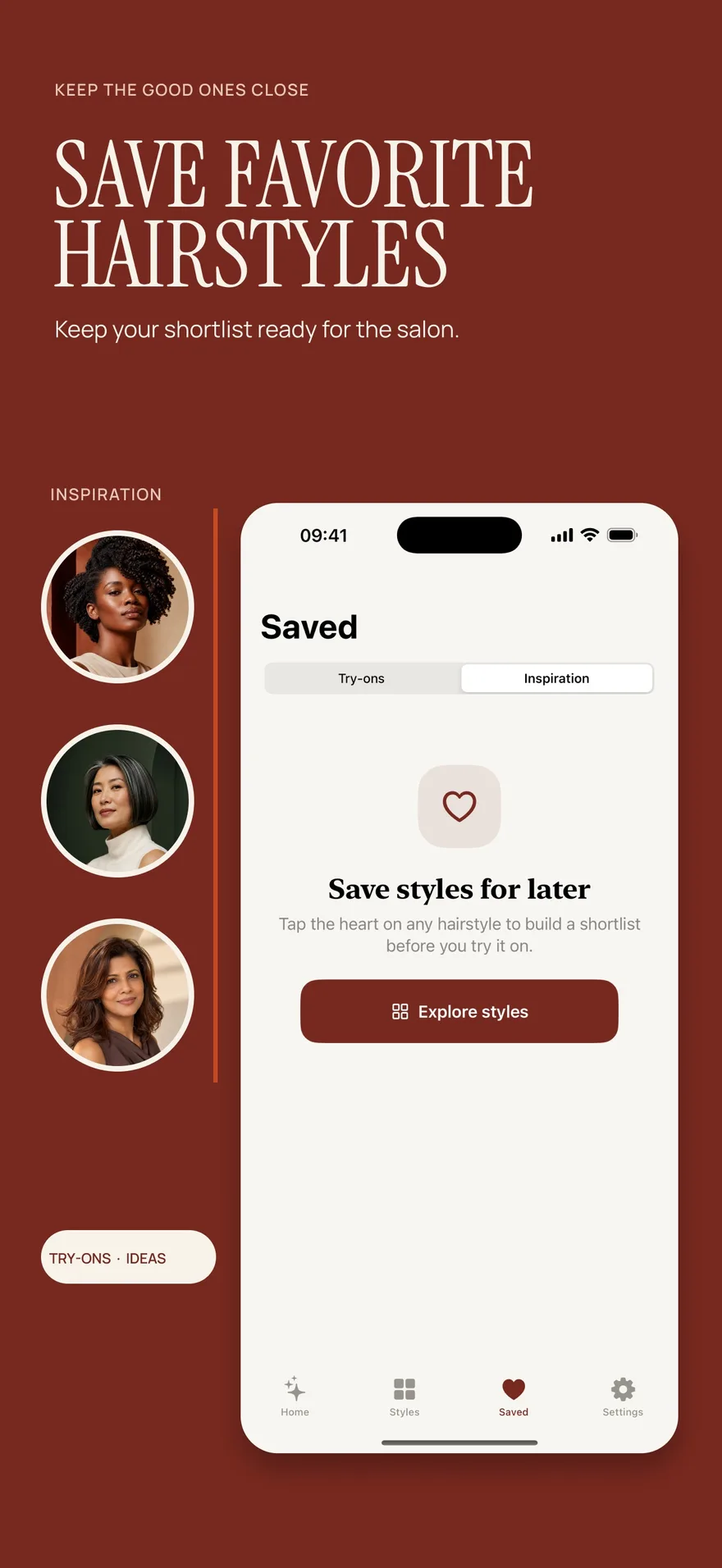
Source: App Store screenshot, captured 8 September 2026. Portraits are style inspiration.
Compare one real decision instead of two attractive demos
Write the question before trying either tool. “Would I enjoy a more open forehead?” is useful. “Which app makes me look best?” mixes together too many possible changes.
Use the same clear, recent photo if you decide to explore both apps. Keep your color and overall length similar while comparing the front. If one result adds a different finish or noticeably changes the face, record that difference rather than assigning the whole impression to the fringe.
Make three notes for each preview: what you like, what changed unexpectedly and what you still need to ask. You are assessing whether the image helps your decision. You are not conducting a scientific accuracy test, and two convincing pictures cannot establish how a real cut will dry or grow out.
Our AI preview accuracy article gives examples of details to interpret cautiously. The photo checklist helps you prepare a useful starting picture.
Check access and photo handling separately
A free installation, a trial and a free generated preview are different offers. Hair Magic is free to download with in-app purchases; its listing does not specify a free generation allowance. YouCam's current page directs readers to the store for up-to-date pricing. Compare the offer shown for your account and country, including renewal terms if a trial is offered.
Do not use a subscription price as a proxy for privacy. In Hair Magic, tapping Generate uploads your photo for cloud processing, and internet access is required. Private Session changes new local saving behavior; it does not make generation offline. For any app, read the current policy and the upload notice before submitting a photo.
The free download and preview-access guide explains Hair Magic's access distinction. The photo privacy guide separates processing, history and sharing.
A focused first session in Hair Magic
If its workflow matches your goal, take or choose your photo and browse the relevant hairstyle group. Choose the closest available cut, keep the color steady and adjust only the details offered for that selection. Review the choices and current generation access, then tap Generate when ready for cloud processing.
Compare the result with your original. Save a useful preview if you want to revisit it, then write the one thing you would change before asking a stylist to reproduce the direction. Follow the photo try-on guide for the full sequence.
You can stop after one useful comparison. A clear preference about the front length is more valuable than a large folder of unrelated makeovers.
Questions people ask before choosing
Is Hair Magic a free alternative to YouCam Makeup?
It is an alternative for hair planning on iPhone, with a free download and in-app purchases. It is not presented as an unlimited-free-preview alternative or a replacement for YouCam's broader makeup tools.
Which should I choose for a reference-photo hairstyle?
YouCam Makeup explicitly documents a reference-transfer workflow. Hair Magic's verified workflow is catalog-based. If reproducing a particular inspiration image is essential, assess the documented transfer option rather than assuming both apps support the same input.
Which app makes the most realistic hair?
We have not established that through testing. Choose on supported workflow, access and whether the preview preserves the details you need to judge. A realistic-looking image still needs a conversation about your actual hair.
Other product and brand names identify the services discussed. Their inclusion does not imply endorsement of Hair Magic by those providers. This comparison is published by Hair Magic.
About this guidance. Published by Hair Magic, the app discussed here. Product details are based on the Hair Magic App Store listing, checked on 18 October 2026. This is planning guidance, not a professional assessment of your hair. AI previews are visual estimates; features and prices may change.
Read our editorial approach or explore all journal articles.